WhatsApp Link Generator Guide: How to Create wa.me Links with Pre-Filled Messages (2026)
Use a free WhatsApp link generator to convert your phone number into a 1-tap wa.me chat URL with custom pre-filled customer messages for Instagram, TikTok, and website buttons.
Why Typing Phone Numbers from Social Media Bios Loses Customers
Last month I helped a local bakery owner figure out why her Instagram reels were getting thousands of views while her daily cake orders barely moved. When I looked at her profile, the problem jumped out right away. She had typed her mobile number as plain text inside her bio caption.
Think about what a hungry customer on an iPhone or Android phone has to do with a plain number in an Instagram bio. You cannot tap or highlight bio text inside the Instagram app. A buyer has to memorize ten digits, switch over to their phone dialer, save a new contact, open WhatsApp, wait for the contact list to refresh, and then type out their question. Most people give up halfway through and scroll to the next video.
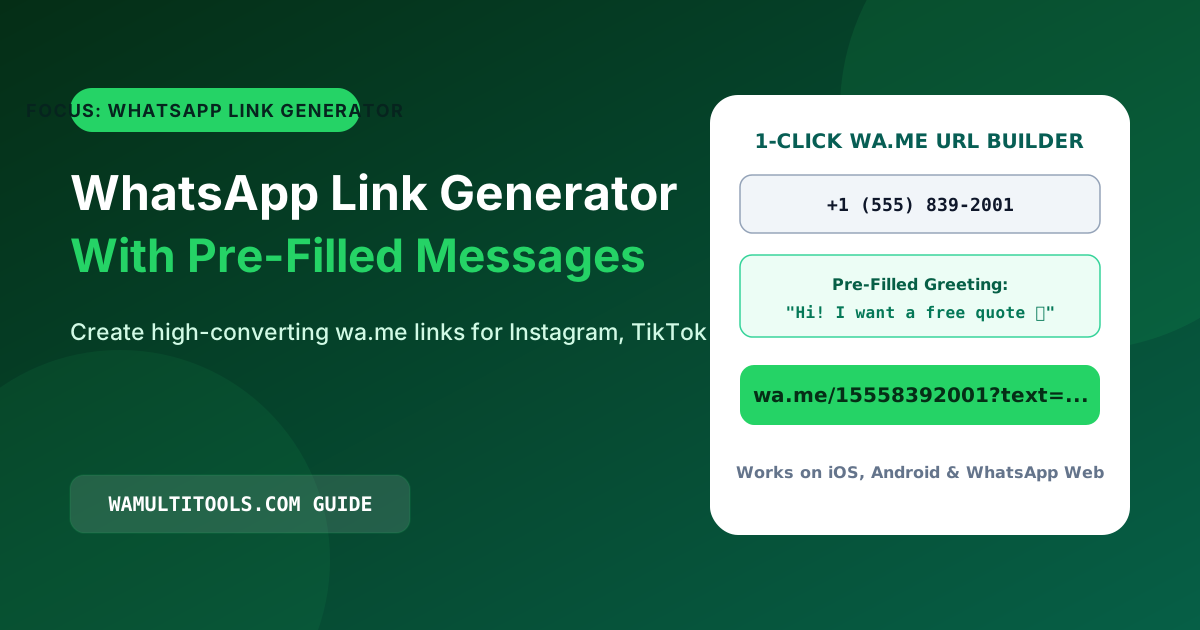
Using a whatsapp link generator fixes that whole routine. Instead of making buyers save your number first, you give them a single clickable link that opens a chat with your business right inside WhatsApp.
What a WhatsApp Link Generator Actually Does to Your Number
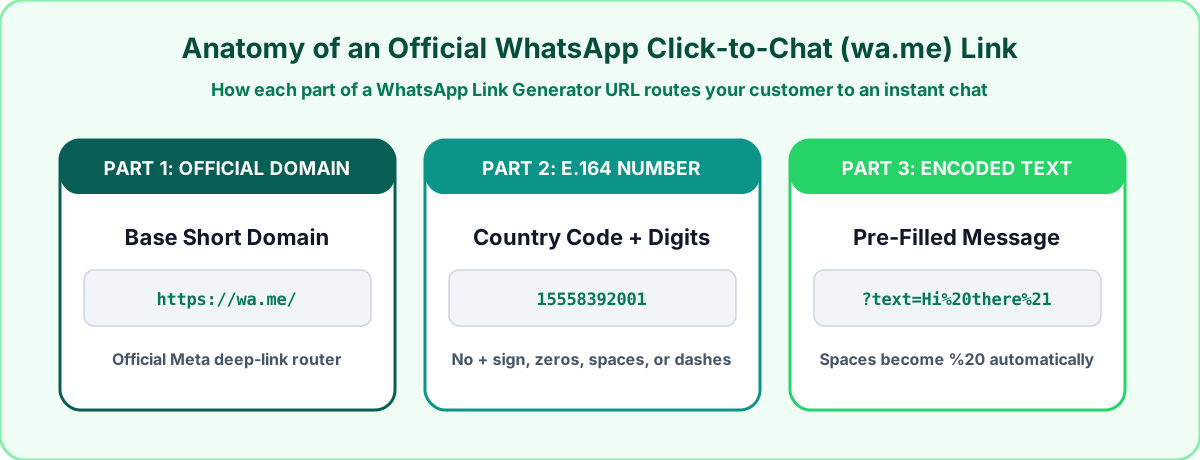
WhatsApp owns and runs a short domain called wa.me. Its only job is to open a chat window with whatever phone number is placed after the slash.
When you paste your number and a custom greeting into our free WhatsApp Link Generator, the tool cleans up three technical things that usually break manual links:
- It strips out plus signs, brackets, spaces, and local trunk zeros so your phone number matches the international E.164 format that WhatsApp servers expect.
- It converts spaces, punctuation, and emojis inside your pre-filled message into web-safe percent codes (like turning a space into
%20) so browsers do not cut off your sentence after the first word.
- It draws a matching QR code right on the page so you can print the exact same chat link on flyers, packaging, or counter signs.
How to Build a Clickable Link in Four Quick Steps
You do not need an account or any paid software to make a permanent chat link. Here is the exact process:
- Open the WhatsApp Link Generator in your phone or computer browser.
- Pick your country dial code from the list (such as +1 for the US and Canada, +44 for the UK, +61 for Australia, +91 for India, or +92 for Pakistan).
- Type your WhatsApp phone number without the leading zero.
- Write a short pre-filled message from the customer point of view, then click Copy Link.
Real Pre-Filled Message Examples That Get More Replies
A blank chat screen makes people hesitate. When someone taps your link and sees a helpful sentence already sitting in their message bar, all they have to do is hit the green send arrow.
Here are seven pre-filled message lines we have tested across different types of small businesses:
| Business Category | Pre-Filled Message Text to Use | Why Customers Like It |
|---|---|---|
| Clothing & Boutiques | Hi! I want to check size availability and delivery time for: | Lets the buyer paste the item name or photo right after |
| Real Estate Agents | Hello! Are viewings still open this week for the property at: | Tells the agent which listing the buyer saw |
| Bakeries & Home Chefs | Hi! I would like to order a custom cake for this date: | Captures the event date in the very first message |
| Freelancers & Designers | Hey! I saw your portfolio and would like a quote for: | Starts a direct project conversation without long forms |
| Hair Salons & Barbers | Hi! Do you have an appointment slot open today or tomorrow? | Makes same-day booking simple without calling |
| Fitness Trainers | Hey Coach! I want to join your training plan. My main goal is: | Helps the coach understand the client right away |
| Auto Detailing & Repair | Hi! How much would a full service cost for my car model: | Gets the vehicle make and model upfront |
Where to Put Your Generated Link for the Best Results
1. Instagram, TikTok, and YouTube Profile Bios
On Instagram, open your profile, tap Edit Profile, tap Links, and select Add External Link. Paste the URL from our whatsapp link generator into the URL box, and give it a clear title like Chat With Us on WhatsApp.
2. Facebook and Instagram Sponsored Posts
If you run local ads, create a separate link with a slightly different greeting just for that ad, such as asking about your weekend offer. Whenever a message comes in with that exact line, you know right away that your ad paid for itself.
3. Floating Website Support Buttons
If you have your own website on WordPress, Shopify, or HTML, you can pair your link with our WhatsApp Callbell Widget to place a small floating chat button in the bottom corner of the screen.
Three Mistakes That Cause Manual wa.me Links to Fail
If you ever try typing a link by hand instead of running it through a generator, watch out for these three common issues:
- Leaving the plus sign or double zero in the link: Writing
https://wa.me/+447911123456orhttps://wa.me/00447911123456often shows an invalid address screen on desktop browsers. Only plain numbers belong after the slash. - Keeping the local leading zero: In countries like the UK (07), Australia (04), and Pakistan (03), people dial a zero at the start of local mobile numbers. When you add a country code, that zero must be removed. You can clean numbers in bulk with our Phone Number Formatter.
- Typing raw spaces in the message part: If you write
?text=Hello therewith a normal space, most apps break the link right after the word Hello.
Frequently Asked Questions
Do links made with a WhatsApp link generator ever expire?
No. Because our tool creates direct https://wa.me/ links without routing your visitors through a middleman URL shortener, your link never expires. As long as your phone number is active on WhatsApp, the link will keep working for years.
Does this work for both regular WhatsApp and WhatsApp Business?
Yes. It makes no difference whether you use the standard green WhatsApp Messenger app or the WhatsApp Business app. The link opens a chat with your phone number on whichever app you use.
How can I tell whether a customer clicked from Instagram, TikTok, or my website?
Create three links using the WhatsApp Link Generator and change one word in the pre-filled message for each platform. For example, use "Hi! I found you on Instagram" for your IG bio, and "Hi! I found you on your website" for your site header.
We test every WhatsApp formatting method, Unicode style, and link structure across Android, iOS, and WhatsApp Web so you can use them safely without installing third party apps.