150+ WhatsApp Bio Fonts: Stylish, Attitude and Aesthetic Copy and Paste Ideas
Upgrade your WhatsApp About profile with ready to copy stylish bio fonts, VIP attitude lines, minimalist aesthetic quotes, and professional business bio templates.
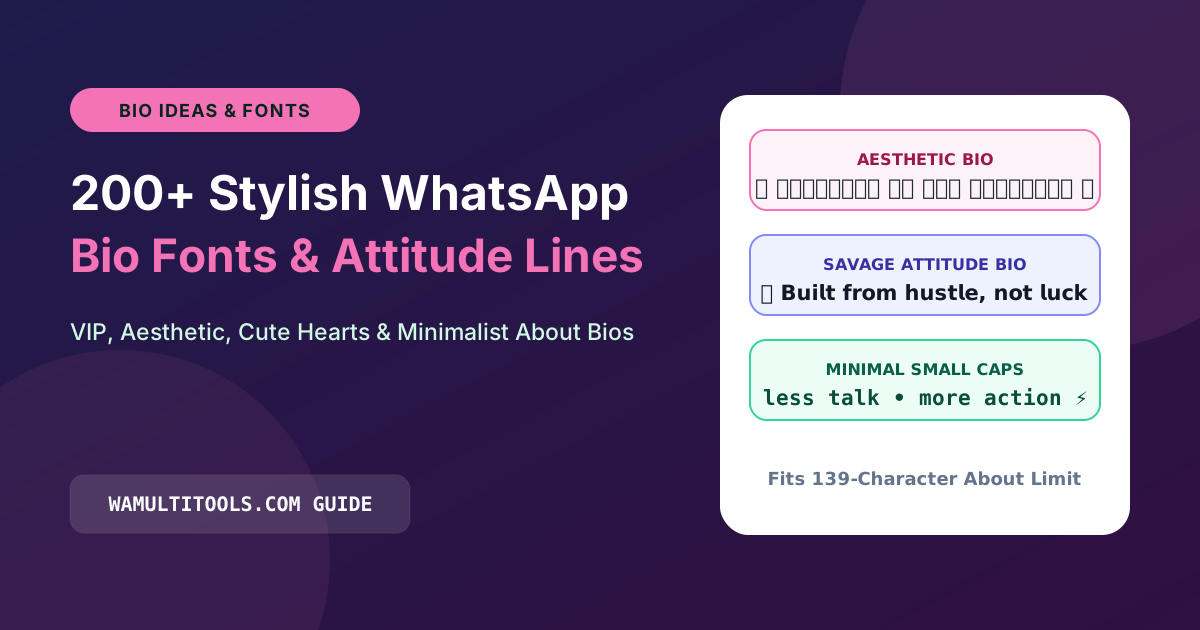
Make Your WhatsApp About Bio Stand Out
Your WhatsApp About line allows up to 139 characters and is the first thing contacts, clients, and group members notice when they tap your profile picture. Because WhatsApp does not allow native asterisk bold or underscore italic shortcuts inside the About bio field, most profiles end up looking plain and identical.
Using Unicode WhatsApp bio fonts lets you write your profile line in flowing cursive script, bold sans serif, clean small caps, or decorated symbol frames that you can copy and paste in seconds.
If you want to type your own custom name or quote, open our WhatsApp Font Generator or Nickname Generator to build a personalized bio right in your browser.
1. Aesthetic and Minimalist WhatsApp Bio Fonts
These clean, soft script and small caps lines work well for minimalist personal profiles:
- ✨ 𝒞𝑜𝓁𝓁𝑒𝒸𝓉𝒾𝓃𝑔 𝓂𝑜𝓂𝑒𝓃𝓉𝓈, 𝓃𝑜𝓉 𝓉𝒽𝒾𝓃𝑔𝓈 ✨
- 🌿 ᴘᴇᴀᴄᴇ ᴏꜰ ᴍɪɴᴅ ᴏᴠᴇʀ ᴇᴠᴇʀʏᴛʜɪɴɢ ᴇʟꜱᴇ
- ☁️ 𝒮𝓁𝑜𝓌 𝒹𝑜𝓌𝓃 & 𝑒𝓃𝒿𝑜𝓎 𝓉𝒽𝑒 𝒿𝑜𝓊𝓇𝓃𝑒𝓎 ☁️
- 🌙 𝕃𝕚𝕧𝕚𝕟𝕘 𝕚𝕟 𝕞𝕪 𝕠𝕨𝕟 𝕝𝕚𝕥𝕥𝕝𝕖 𝕨𝕠𝕣𝕝𝕕
- 🤍 𝒢𝓇𝒶𝓉𝑒𝒻𝓊𝓁 • 𝐵𝓁𝑒𝓈𝓈𝑒𝒹 • 𝐹𝑜𝒸𝓊𝓈𝑒𝒹 🤍
- 🌸 ꜱɪᴍᴘʟɪᴄɪᴛʏ ɪꜱ ᴛʜᴇ ᴜʟᴛɪᴍᴀᴛᴇ ꜱᴏᴘʜɪꜱᴛɪᴄᴀᴛɪᴏɴ
- ☕ Fueled by 𝒸𝑜𝒻𝒻𝑒𝑒 & 𝑔𝑜𝑜𝒹 𝓋𝒾𝒷𝑒𝓈 ✨
2. Stylish Attitude and Royal WhatsApp Bios
Bold gothic, script, and sans serif fonts for confident personal profiles:
- 👑 𝗕𝘂𝗶𝗹𝗱𝗶𝗻𝗴 𝗮𝗻 𝗲𝗺𝗽𝗶𝗿𝗲, 𝗼𝗻𝗲 𝗱𝗮𝘆 𝗮𝘁 𝗮 𝘁𝗶𝗺𝗲.
- ⚡ 𝕾𝖎𝖑𝖊𝖓𝖈𝖊 𝖎𝖘 𝖙𝖍𝖊 𝖇𝖊𝖘𝖙 𝖗𝖊𝖘𝖕𝖔𝖓𝖘𝖊 𝖙𝖔 𝖆 𝖋𝖔𝖔𝖑.
- 🔥 𝓐𝓽𝓽𝓲𝓽𝓾𝓭𝓮 𝓲𝓼 𝓪 𝓵𝓲𝓽𝓽𝓵𝓮 𝓽𝓱𝓲𝓷𝓰 𝓽𝓱𝓪𝓽 𝓶𝓪𝓴𝓮𝓼 𝓪 𝓫𝓲𝓰 𝓭𝓲𝓯𝓯𝓮𝓻𝓮𝓷𝓬𝓮.
- 🦁 𝗡𝗼𝘁 𝗲𝘃𝗲𝗿𝘆𝗼𝗻𝗲 𝗹𝗶𝗸𝗲𝘀 𝗺𝗲, 𝗯𝘂𝘁 𝗻𝗼𝘁 𝗲𝘃𝗲𝗿𝘆𝗼𝗻𝗲 𝗺𝗮𝘁𝘁𝗲𝗿𝘀.
- 💎 Limited 𝕰𝖉𝖎𝖙𝖎𝖔𝖓 • 𝕹𝖔 𝕮𝖔𝖕𝖎𝖊𝖘
- 🚀 Focused on my 𝗴𝗼𝗮𝗹𝘀, not the 𝗻𝗼𝗶𝘀𝗲.
- 🖤 𝓙𝓾𝓭𝓰𝓮 𝓶𝓮 𝔀𝓱𝓮𝓷 𝔂𝓸𝓾 𝓪𝓻𝓮 𝓹𝓮𝓻𝓯𝓮𝓬𝓽.
3. Professional and Business WhatsApp Bio Templates
If you use WhatsApp for work or client communication, pairing bold sans serif headers with small caps makes your profile look clear and trustworthy:
- 💼 𝗙𝗼𝘂𝗻𝗱𝗲𝗿 & 𝗖𝗿𝗲𝗮𝘁𝗶𝘃𝗲 𝗗𝗶𝗿𝗲𝗰𝘁𝗼𝗿 | 📩 ᴅᴍ ꜰᴏʀ ᴄᴏʟʟᴀʙᴏʀᴀᴛɪᴏɴꜱ
- 🛍️ 𝗢𝗳𝗳𝗶𝗰𝗶𝗮𝗹 𝗦𝘁𝗼𝗿𝗲 𝗦𝘂𝗽𝗽𝗼𝗿𝘁 • 🕒 ᴍᴏɴ ᴛᴏ ꜱᴀᴛ (9 ᴀᴍ ᴛᴏ 7 ᴘᴍ)
- 📦 𝗙𝗮𝘀𝘁 𝗡𝗮𝘁𝗶𝗼𝗻𝘄𝗶𝗱𝗲 𝗦𝗵𝗶𝗽𝗽𝗶𝗻𝗴 | 👇 ᴏʀᴅᴇʀ ᴠɪᴀ ᴄᴀᴛᴀʟᴏɢ ʙᴇʟᴏᴡ
- 💻 𝗗𝗶𝗴𝗶𝘁𝗮𝗹 𝗠𝗮𝗿𝗸𝗲𝘁𝗶𝗻𝗴 & 𝗪𝗲𝗯 𝗦𝘁𝘂𝗱𝗶𝗼 • ⚡ ʀᴇᴘʟɪᴇꜱ ᴡɪᴛʜɪɴ 15 ᴍɪɴꜱ
- 🏡 𝗟𝗶𝗰𝗲𝗻𝘀𝗲𝗱 𝗥𝗲𝗮𝗹 𝗘𝘀𝘁𝗮𝘁𝗲 𝗔𝗱𝘃𝗶𝘀𝗼𝗿 | 📞 ᴍᴇꜱꜱᴀɢᴇ ꜰᴏʀ ᴘʀɪᴠᴀᴛᴇ ᴠɪᴇᴡɪɴɢꜱ
How to Change Your WhatsApp Bio Font on Android and iPhone
- Copy any bio line from the list above, or type your own words in our WhatsApp Font Generator.
- Open WhatsApp and go to Settings by tapping the three dots on Android or the bottom tab on iPhone.
- Tap your Profile Name at the top of the screen.
- Tap the About field, paste your copied font text, and tap Save.
Helpful Tips for a Clean 139 Character WhatsApp Bio
- Keep an eye on the 139 character limit: Some mathematical Unicode letters, such as cursive and gothic characters, count as two characters in mobile memory. Keeping your bio short ensures WhatsApp does not cut off the ending.
- Frame text with simple emojis: Placing a cursive or small caps phrase between two clean emojis draws attention in group member lists without looking cluttered.
- Keep contact details in plain text: If your bio includes a phone number, email address, or website link, leave the link itself in normal letters so people can read or tap it easily.
We test every WhatsApp formatting method, Unicode style, and link structure across Android, iOS, and WhatsApp Web so you can use them safely without installing third party apps.