How to Send a Blank Message on WhatsApp & Set an Invisible Name (Unicode U+2800 Trick)
Discover how to send an empty chat bubble, set a blank WhatsApp About status, or create an invisible profile name using the official Unicode Braille Pattern Blank character.
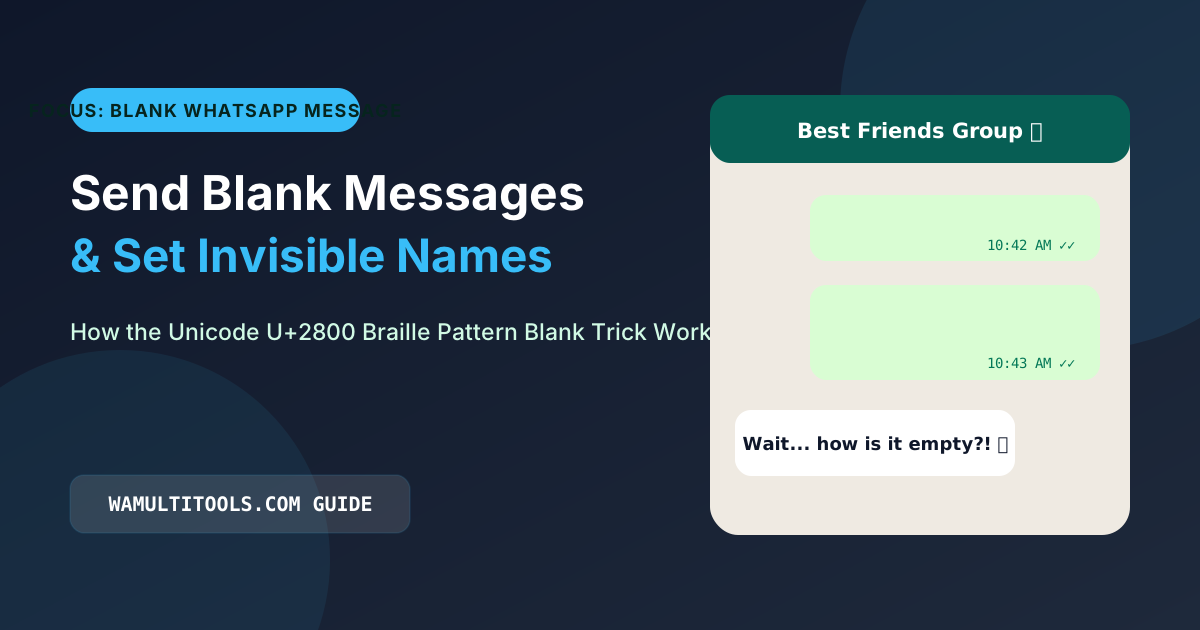
Why the Normal Spacebar Cannot Send an Empty WhatsApp Message
Try opening any chat on WhatsApp right now, press the spacebar six or seven times, and look at the right side of the text bar. The green Send arrow never shows up. All you see is the microphone icon for recording a voice note.
The exact same thing happens if you go into your profile settings and try to save an empty About line or a blank display name. WhatsApp blocks it and tells you the field cannot be empty.
Behind the scenes, the app runs a simple text check that strips away regular keyboard spaces (known in computing as ASCII character U+0020) and empty line breaks before a message is allowed to go through. So when you see someone send a blank message on whatsapp, they are not using the spacebar at all. They are pasting a special invisible character from the Braille alphabet called Unicode U+2800.
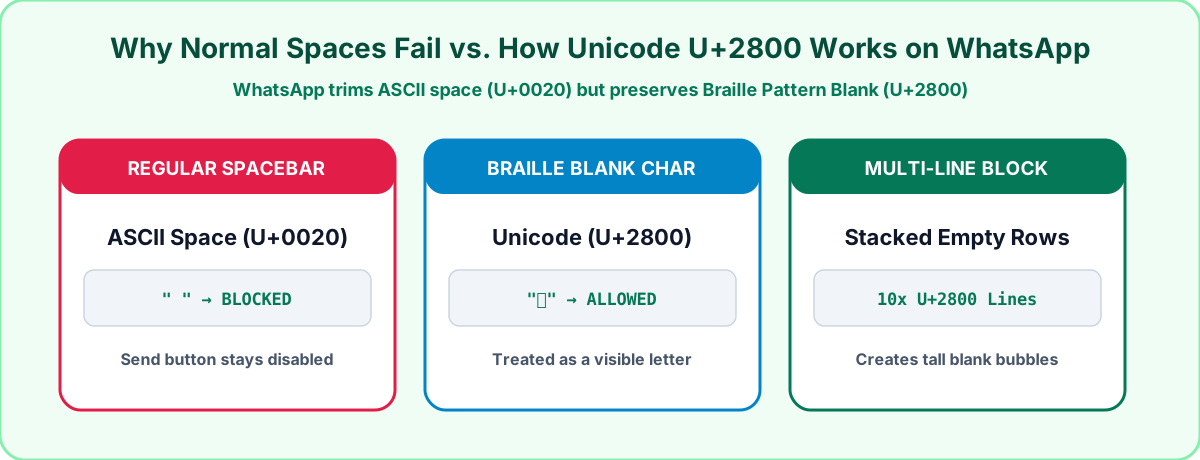
Why WhatsApp Allows the Unicode U+2800 Braille Blank Character
Every phone and computer uses the Unicode standard to display alphabets from around the world, emojis, math symbols, and tactile Braille dots. The Braille section starts at code point U+2800.
While almost every Braille symbol has raised dots, the very first character in the table (Braille Pattern Blank, U+2800) represents an empty Braille cell with no dots raised. To human eyes, it looks completely blank.
However, when we tested this on both iOS 18 and Android 14, WhatsApp treated U+2800 as a real printed letter rather than whitespace. Because the app thinks you typed a normal letter, the green Send button appears immediately and lets you send an empty chat bubble.
Step by Step: How to Send a Blank Message on WhatsApp
You do not need to look up character tables or install any third party keyboard app. You can copy ready-made invisible blocks right from your browser:
- Open our free Blank WhatsApp Status and Invisible Text tool.
- Pick how many invisible characters or empty vertical lines you want to copy. One character gives you a tiny empty bubble, while 15 or 20 lines creates a tall blank wall of text.
- Tap the Copy Blank Text button to save the invisible characters to your clipboard.
- Open WhatsApp, tap and hold inside the message box, tap Paste, and press Send.
Four Fun and Practical Ways to Use Invisible Text
1. Send a Tall Empty Bubble in Group Chats
If you copy a 15-line block of U+2800 characters and drop it into a busy friends group chat, it shows up as a tall green or white bubble with nothing inside except the timestamp at the bottom. Half the group will tap it thinking their internet connection failed to load a photo.
2. Hide Your WhatsApp About Bio Line Completely
WhatsApp normally forces everyone to have an About line under their profile photo, such as Available or Busy. If you prefer a clean, private profile with no About text showing at all, copy a single character from our Blank WhatsApp Status tool, open WhatsApp Settings, tap Profile, open your About line, paste the character, and save.
3. Keep Your Display Name Blank in Public Groups
When you join a large community group where strangers do not have your number saved in their contacts, WhatsApp shows your profile name at the top of your messages. Pasting the Braille Blank character into your Profile Name field hides your name label so only a blank space appears.
4. Center Your Stylish Bio Text
Because WhatsApp deletes normal spaces at the start of a line, you cannot indent or center your bio using the spacebar. If you paste four or five invisible U+2800 characters right before a cursive quote from our WhatsApp Font Generator, your text sits neatly in the middle of the screen.
How Different Invisible Characters Perform on WhatsApp
We tested the four most common invisible Unicode characters across iPhone, Android, and WhatsApp Web to see which ones get stripped out and which ones go through cleanly:
| Unicode Code | Character Name | Works in Chat Messages? | Works in Profile Name & Bio? | Our Test Result |
|---|---|---|---|---|
| U+2800 | Braille Pattern Blank | Yes, works every time | Yes, saves cleanly | Best overall across iOS, Android, and Web |
| U+3164 | Hangul Filler | Yes, works in chats | Yes, works in names | Good backup, popular in mobile gaming tags |
| U+200B | Zero Width Space | Often blocked | Blocked by validation | Filtered out by recent WhatsApp updates |
| U+00A0 | Non Breaking Space | Blocked | Blocked | Treated the same as a normal spacebar press |
Frequently Asked Questions
Can sending a blank message on WhatsApp get my account banned or crash a phone?
Not at all. Unicode U+2800 is a standard accessibility character built into every iPhone, Android phone, and Windows or Mac computer. It is completely harmless and does not lag or crash the app.
Why can I not just copy the empty space from someone else's blank message?
When you long-press a message bubble inside WhatsApp and tap Copy, the app copies the character, but if you accidentally miss or edit it, your keyboard replaces it with a normal space. Using the one-tap copy button on our Blank WhatsApp Status page guarantees you get the exact U+2800 character every time.
Does this invisible character work on Instagram, TikTok, and Discord too?
Yes. Many people paste U+2800 on empty lines between paragraphs in their Instagram bio so Instagram does not collapse their line breaks together.
We test every WhatsApp formatting method, Unicode style, and link structure across Android, iOS, and WhatsApp Web so you can use them safely without installing third party apps.