WhatsApp Text Formatting and Custom Font Styling: The Complete Reference
Master every official WhatsApp formatting shortcut including bold text, italics, strikethrough, monospace code, bullet points, and numbered lists, plus Unicode bio styles.
Why Clean Message Formatting Matters on WhatsApp
Every day, billions of plain text messages pass through WhatsApp. Because most people send long blocks of unformatted text, important details like appointment times, order numbers, price updates, and addresses often get missed in busy chats.
Good text formatting turns crowded messages into clear, easy to read notes. Whether you manage a community group, answer customer questions, or want a cleaner personal profile, knowing how native WhatsApp shortcuts and Unicode fonts work makes a noticeable difference.
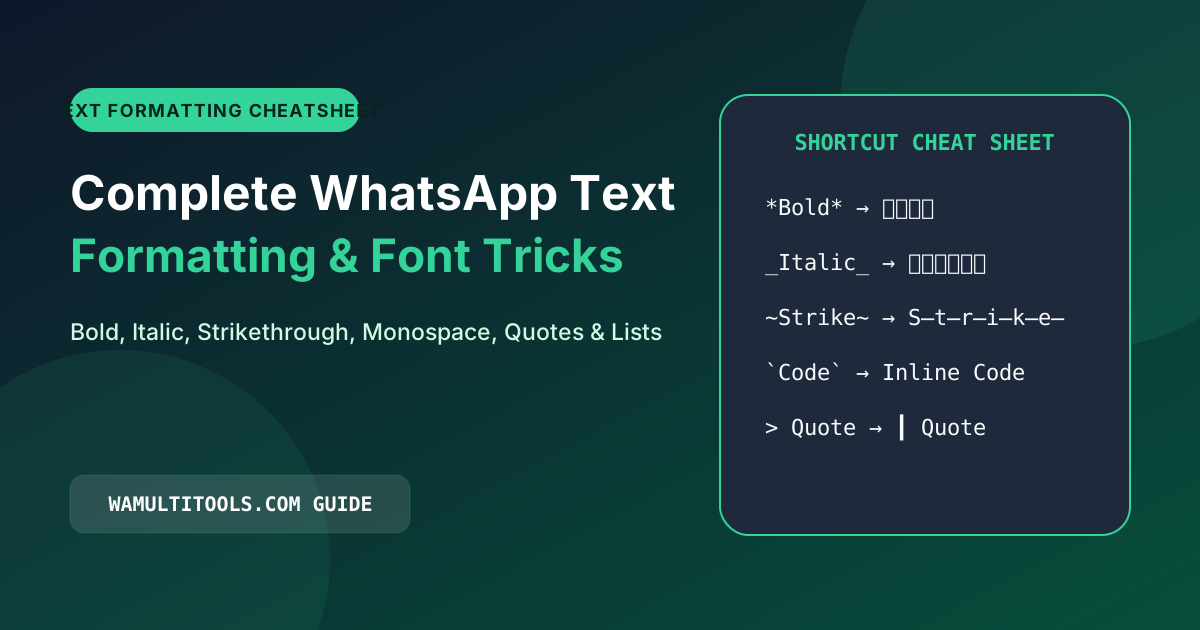
Official WhatsApp Inline Formatting Cheatsheet
WhatsApp supports lightweight formatting symbols right inside the chat bar. You do not need extra software or custom keyboards. Just wrap your words in these punctuation marks while typing on your phone or computer keyboard.
Complete Native Formatting Summary
| Styling Effect | Syntax Rule | Example Input | Visual Output in Chat | Best Recommended Use |
|---|---|---|---|---|
| Bold | Asterisks on both sides | *urgent notice* | Urgent notice (Bold) | Headings, deadlines, key amounts |
| Italics | Underscores on both sides | _please note_ | Please note (Italic) | Soft emphasis, book titles, quotes |
| Strikethrough | Tildes on both sides | ~old price 99~ | Old price 99 (Crossed) | Corrections, discounts, revised plans |
| Monospace | Three backticks on both sides | ``CODE 482`` | Code style font | Serial numbers, passwords, coordinates |
| Bullet List | Asterisk followed by a space | * Item one | • Item one | Shopping lists, feature summaries |
| Numbered List | Digit, period, and space | 1. First step | 1. First step | Step by step tutorials, recipes |
| Block Quote | Greater than sign and space | > Customer note | Indented vertical bar | Highlighting testimonials, notes |
Step by Step Breakdown of Each Formatting Rule
1. Bold Text for Clear Emphasis
To make any word or sentence bold, place an asterisk (*) directly at the beginning and end of your phrase without leaving a space between the asterisk and the letters.
- Correct input:
*Meeting moved to 4 PM* - Incorrect input:
* Meeting moved to 4 PM * - Result in chat: Meeting moved to 4 PM
2. Italic Text for Subtle Tone
Wrap your phrase with single underscores (_) to highlight a note, title, or gentle reminder.
- Input:
Please bring your ID _before check in_. - Result in chat: Please bring your ID before check in.
3. Strikethrough for Revisions and Discounts
Place tildes (~) around text to show updated pricing or crossed out items on a list.
- Input:
Original ticket price: ~75 dollars~ now 45 dollars. - Result in chat: Original ticket price:
75 dollarsnow 45 dollars.
4. Monospace Font for Reference Codes
Monospace font gives every letter the exact same horizontal width, similar to a typewriter or code editor. Wrap your text inside three backticks (```) on each side.
- Input:
Your verification token is`SEC8910`. - Result in chat: The code appears in a fixed width font so zeros and the letter O are never confused.
5. Bulleted and Numbered Lists
Typing an asterisk (*) followed by a space starts a bulleted list. When you press Enter on your keyboard, WhatsApp automatically adds the next bullet point. Typing 1. followed by a space starts a numbered list that counts up automatically.
Can You Combine Formatting Styles?
Yes. WhatsApp lets you combine styles as long as you close the symbols in the exact reverse order that you opened them.
- Correct order:
_*Important Announcement*_ - Incorrect order:
_*Important Announcement_*
When nested in the right order, your message appears in both bold and italics without showing the raw punctuation marks.
How Custom Unicode Fonts Work on WhatsApp
Native punctuation shortcuts let you change weight and slant inside chat bubbles, but they do not change the actual typeface, and they do not work inside your profile About bio or display name.
To use cursive script, gothic blackletter, double struck outline, or bubble letters in your WhatsApp bio, group names, or status updates, you can use our WhatsApp Font Generator.
How Unicode Typography Works
Unicode is the international standard that assigns a unique number to characters across all modern devices. The Unicode standard includes mathematical and decorative symbol alphabets written in script, fraktur, bold serif, and sans serif styles.
When you copy stylized text from our generator, you are copying genuine Unicode characters that Android, iOS, macOS, and Windows already know how to display natively.
- Cursive Script: 𝒲𝒜 𝑀𝓊𝓁𝓉𝒾𝓉𝑜𝑜𝓁𝓈 (Great for boutique profiles and invitations)
- Gothic Blackletter: 𝕲𝖔𝖙𝖍𝖎𝖈 𝕮𝖍𝖆𝖙 (Popular for gaming tags and squad names)
- Double Struck Outline: 𝕎𝕙𝕒𝕥𝕤𝔸𝕡𝕡 𝔾𝕦𝕚𝕕𝕖 (Clean, modern headline look)
- Circled Bubble Letters: ⓌⒽⒶⓉⓈⒶⓅⓅ (Useful for short labels and announcements)
Readability Tips When Using Custom Fonts
- Keep long paragraphs in standard text: Screen readers used by visually impaired users read mathematical Unicode symbols letter by letter. Use decorative fonts for short headers, names, and bios, and keep long paragraphs in regular text.
- Check legibility on small screens: Intricate gothic letters can be hard to read if used for an entire paragraph. Stick to a few key words for the best visual impact.
Frequently Asked Questions
Can I change text color inside WhatsApp chats?
No. WhatsApp does not support colored font text inside chat bubbles. Text color is controlled by the light or dark theme on each user phone. However, you can pair Unicode fonts with colored emoji symbols to add visual color to announcements.
Why did my formatting symbols show up instead of styling the text?
This usually happens when there is an extra space between the symbol and your word, or when the closing symbol does not match the opening symbol. Make sure the symbol touches the first and last letter directly.
We test every WhatsApp formatting method, Unicode style, and link structure across Android, iOS, and WhatsApp Web so you can use them safely without installing third party apps.